# Mosaic App Configurations

Once the [Azure App Registration](/mosaic/get-started/powerbi-configuration/azure-app-registration.md) and [Power BI Admin Portal](/mosaic/get-started/powerbi-configuration/powerbi-admin-portal.md) settings are in place, the last step is making sure Mosaic itself knows about your Power BI assets and your team.

This page describes what the Mosaic admin surface does today, and what's coming.

## Sign in as a Mosaic admin

1. Open `https://mosaic.aidi.ai` (or your Mosaic instance URL)
2. Sign in with a Microsoft Entra account that has the **`tenant_admin`** system role in Mosaic
3. Open the **Admin** console from the user menu

If you don't see the **Admin** entry, your account does not yet have tenant-admin rights inside Mosaic. The first user who activated the subscription was set as a tenant admin during installation. Subsequent admins are set by Vizlake on request — contact `info@vizlake.com`.

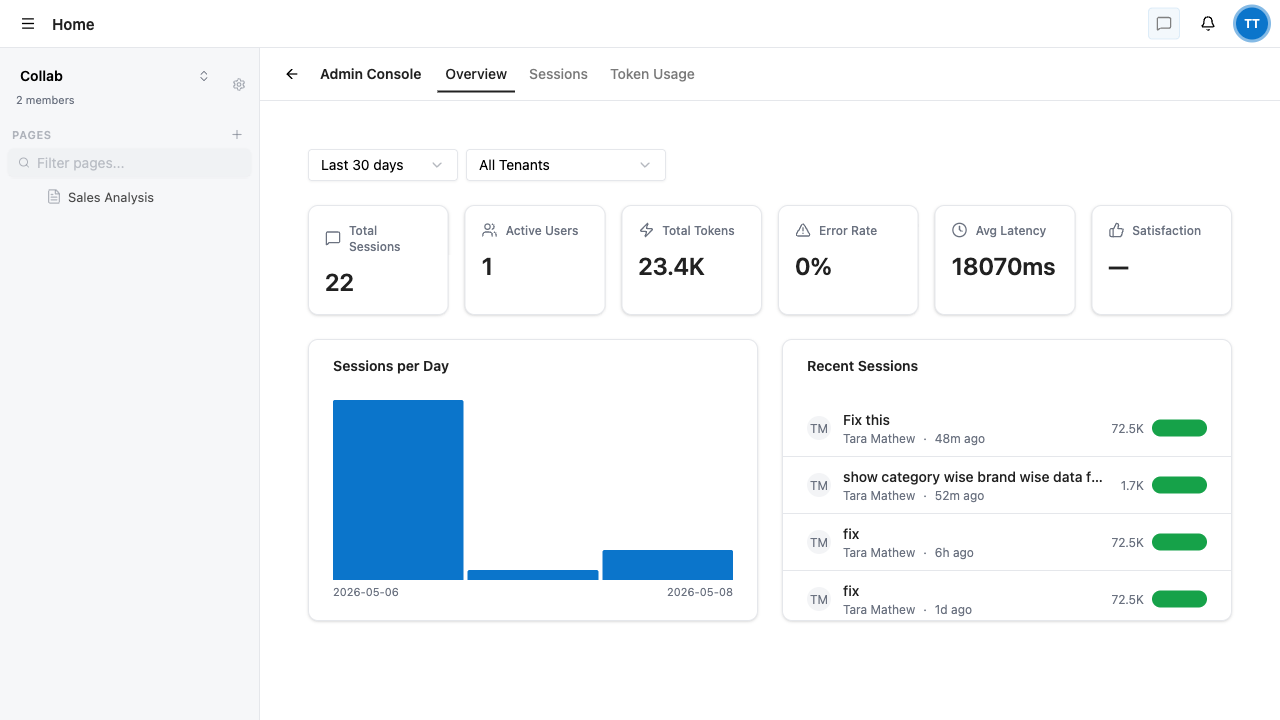
<figure><img src="/files/QlVDQrqvELdJUPGDAddr" alt=""><figcaption><p>Admin Console — Overview tab. Tenant-wide AI metrics and recent sessions.</p></figcaption></figure>

## What the Admin console does today

The Admin console is **AI-observability-focused**. It gives tenant admins visibility into how AI is being used across the whole tenant.

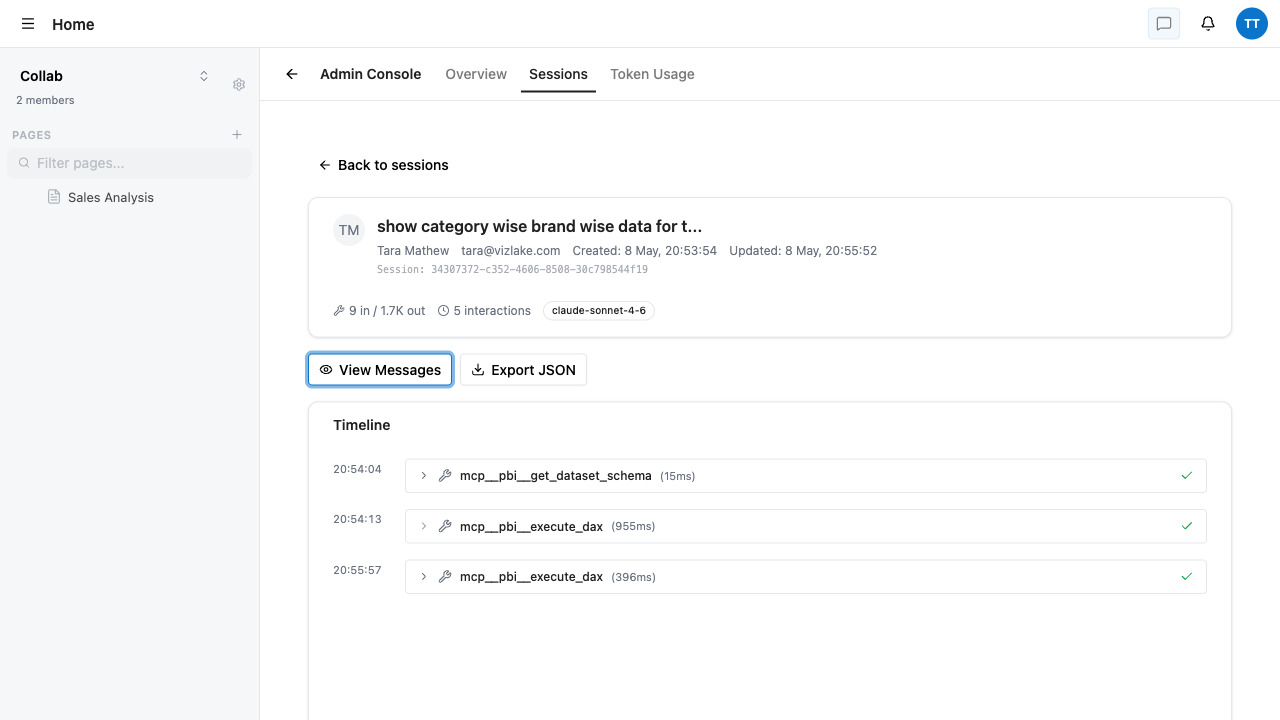
<table><thead><tr><th width="180">Tab</th><th>What you see</th></tr></thead><tbody><tr><td><strong>Overview</strong></td><td>Total AI sessions, active users, total tokens, error rate, average latency, sessions-per-day chart, and a list of recent sessions.</td></tr><tr><td><strong>Sessions</strong></td><td>Filterable list of every AI session in your tenant — by user, date, outcome (success / error). Click a session to drill in.</td></tr><tr><td><strong>Session Detail</strong></td><td>Per-session timeline of every tool call (dataset schema lookup, DAX execution), with timings, outcomes, model used, token usage, and a JSON export. Viewing a user's chat content requires explicit acknowledgement; the access itself is logged for compliance.</td></tr><tr><td><strong>Token Usage</strong></td><td>Token consumption trends over time, by user, model, and tool category.</td></tr></tbody></table>

<figure><img src="/files/lvDlOHfV8nX0FOEIomxj" alt=""><figcaption><p>Session detail — every tool call logged with timing, outcome, and JSON export.</p></figcaption></figure>

## Power BI resource catalog - how it's populated today

The **catalog** is the searchable index of Power BI reports, dashboards, datasets, and Q\&A entries that Mosaic's AI can reference and that users can embed via the slash menu.

Today, the catalog is populated **two ways**:

{% stepper %}
{% step %}

#### End-user "Save to Catalog"

When a user finds a useful Power BI report inside Mosaic - typed via the slash menu, suggested by the chat agent, or browsed via the resource picker - they can **Save it to the catalog** so the rest of their workspace can find it later.

This is the everyday path. Most catalog entries get added this way as your team works.
{% endstep %}

{% step %}

#### CLI-driven seeding (Vizlake-assisted)

For initial onboarding or large-batch imports, Vizlake runs initial synchronisation scripts directly against your tenant's Power BI environment. This is useful when you want to populate the catalog with dozens or hundreds of curated assets at once, with descriptions and tags pre-written.

If you have a list of Power BI assets you want pre-loaded (with descriptions and tags optimised for AI retrieval), email it to `info@vizlake.com` and we'll seed the catalog for you.
{% endstep %}
{% endstepper %}

{% hint style="info" %}
**Why descriptions and tags matter.** The AI retrieves catalog entries semantically when users ask in natural language. A report titled *"Revenue MIS"* with a description like *"Monthly revenue by region, brand, and product category, with comparisons to plan and prior year"* and tags `revenue`, `region`, `brand`, `monthly` - gets surfaced for many more questions than one with just the title. Five minutes invested per resource pays off across thousands of queries.
{% endhint %}

## Workspaces - how they're created today

In Mosaic today, workspaces are **owned and managed by their creators**, not by tenant admins:

* Any user can create a shared workspace from the workspace switcher
* The creator becomes the workspace **Owner** automatically
* The Owner invites teammates by email and assigns roles - see [Adding Members to a Workspace](/mosaic/user-access/adding-members.md) and [Workspace Roles](/mosaic/user-access/workspace-roles.md)

Tenant admins do **not** create or modify workspaces from the Admin console today. Workspace administration is owner-driven.

## Custom agents (Mosaic Premium plan)

If your subscription is **Mosaic Standard**, your users can build their own custom AI agents - named, scoped, instruction-driven helpers their team uses regularly.

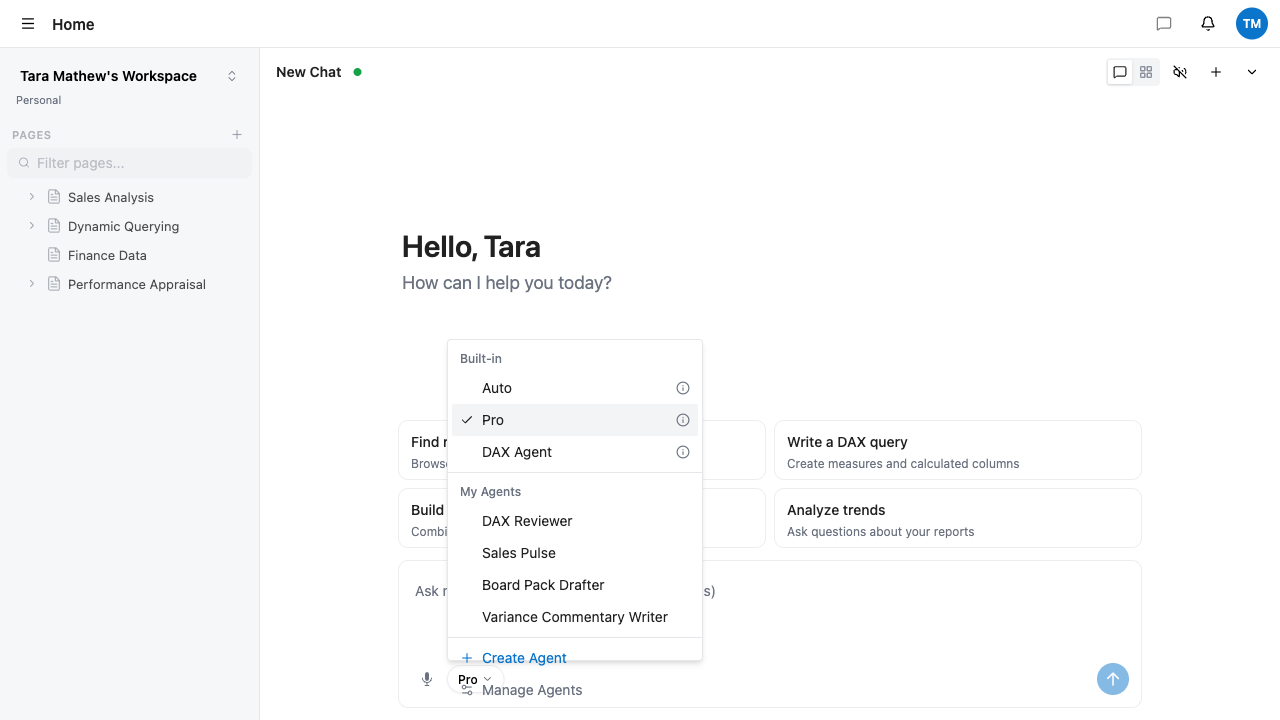
<figure><img src="/files/UdOiiBDf26PrVKJIjsST" alt=""><figcaption><p>The agent picker — built-in agents (Auto, Pro, DAX Agent) plus your team's custom agents.</p></figcaption></figure>

Built-in agents are available on **both plans**:

<table><thead><tr><th width="160">Built-in agent</th><th>Best for</th></tr></thead><tbody><tr><td><strong>Auto</strong></td><td>Fast responses; the agent decides when to use tools.</td></tr><tr><td><strong>Pro</strong></td><td>Always uses tools and advanced reasoning. Slower, more thorough.</td></tr><tr><td><strong>DAX Agent</strong></td><td>Specialised for DAX formulas, with dataset access.</td></tr></tbody></table>

Custom agents add team-specific personas with their own briefs, tool selections, and dataset scope. Each agent runs under the calling user's Microsoft Entra identity — Row-Level Security holds end-to-end. Nothing an agent fetches is data the user couldn't see themselves.

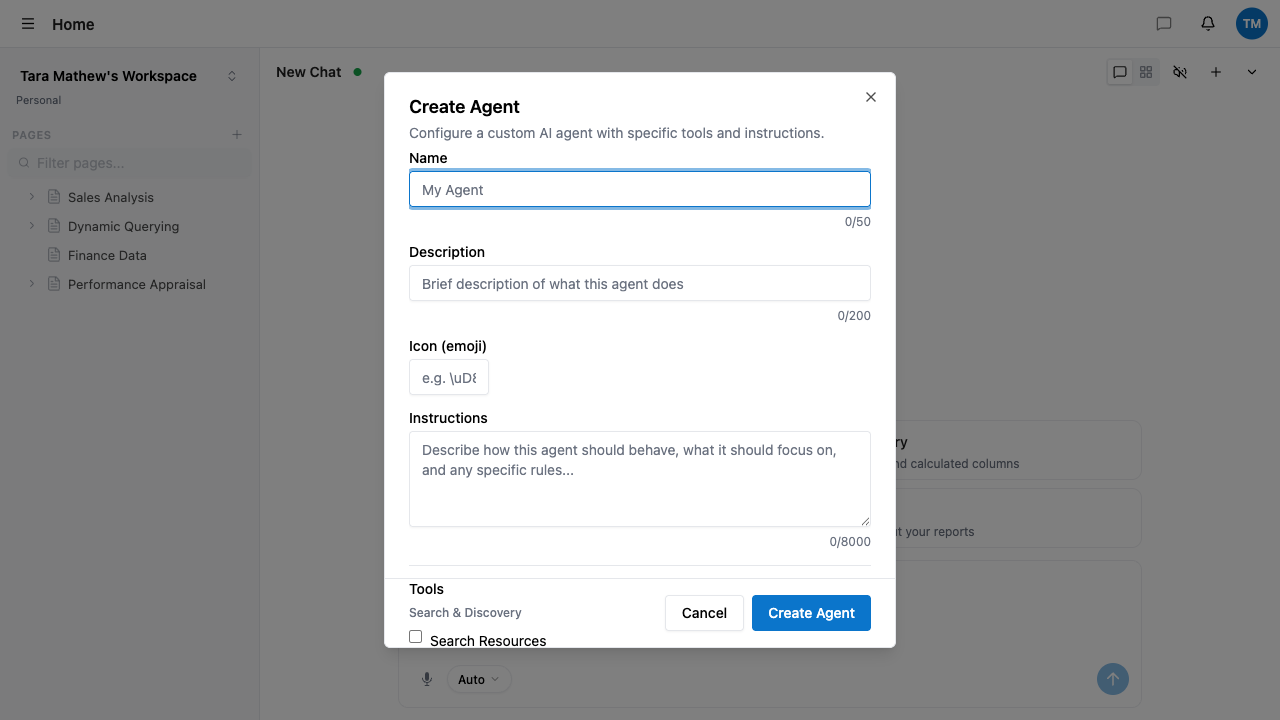
<figure><img src="/files/NscYsSaKex0vITh2GNAm" alt=""><figcaption><p>Create Agent — name, description, instructions (up to 8 000 chars), tool selection.</p></figcaption></figure>

A full *AI Agents* guide is **coming soon** to this documentation, including agent design patterns, instruction examples, and tool-selection guidance.

## What's next

Power BI is configured. Move on to [User Access](/mosaic/user-access/accessing-mosaic.md) to onboard your team.


---

# Agent Instructions: Querying This Documentation

If you need additional information that is not directly available in this page, you can query the documentation dynamically by asking a question.

Perform an HTTP GET request on the current page URL with the `ask` query parameter:

```
GET https://docs.aidi.ai/mosaic/get-started/powerbi-configuration/mosaic-app-configurations.md?ask=<question>
```

The question should be specific, self-contained, and written in natural language.
The response will contain a direct answer to the question and relevant excerpts and sources from the documentation.

Use this mechanism when the answer is not explicitly present in the current page, you need clarification or additional context, or you want to retrieve related documentation sections.